Last Updated: November 10, 2026
Quick answer: Computer hardware is the physical equipment. That covers components inside the computer and devices connected to it. Software is different. It’s the programs and instructions that run on that equipment. Completing a computer task takes the operating system, applications, processor, storage, keyboard, and monitor. Each has a different role.
Table of Contents
Introduction
Keyboard, internal components, operating system, application. A computer task can bring in all of them, and they work together. If you’re learning computer basics, the first useful move is working out what each part does. Hardware and software make more sense after that. You can sort the physical components from the programs that direct them much more easily.
What are computer hardware and software?
Computer hardware is the physical equipment in a computer system. Software? That’s the set of programs and instructions telling the computer what to do.
Keyboard, processor, storage drive. All hardware. The operating system and a word processor are software. The difference between hardware and software comes down to their roles. Physical components provide the equipment. Programs direct the tasks the computer performs.
What are the main types of computer hardware?
Hardware splits into internal components and external devices. The internal ones sit inside the computer’s case. External devices connect to the computer. Input, output, and extra functions like storage. That’s what they cover.
Among the Internal hardware you’ll find the processor, memory, storage drive, and motherboard. The processor carries out instructions, RAM holds data that the computer is using, and storage drives keep files and applications. The motherboard’s job is connecting internal components.
External hardware helps you interact with a computer or get its output. Keyboards and mice handle input. Monitors, printers, and speakers handle output, and each one plugs in on its own. Plug them in or unplug them whenever you like, and they’re still hardware.
What are the main types of computer software?
Software comes in two main types: system software and application software. System software manages the computer’s resources and supports its operation. Application software? That’s what helps users complete specific tasks.
An operating system counts as system software. It coordinates computer hardware and runs applications. Word processor, spreadsheet program, web browser, media player. Those are application software, since each one helps you carry out a particular task.
A device driver is software too. It helps the operating system communicate with a particular hardware device, a printer, for example. The printer is hardware. The driver that supports communication with it is software.
Computer hardware and software examples
These examples show how to classify common parts of a computer system.
| Part or program | Category | Role |
|---|---|---|
| Processor (CPU) | Internal hardware | Carries out computer instructions. |
| RAM | Internal hardware | Holds data being used by the computer. |
| Keyboard | External hardware | Sends input to the computer. |
| Monitor | External hardware | Displays output. |
| Operating system | System software | Coordinates hardware and runs applications. |
| Word processor | Application software | Provides tools for creating and editing documents. |
| Printer driver | System software | Helps software communicate with a printer. |
A storage drive is hardware. The applications and files stored on it aren’t physical components of the drive. The drive and its contents play different roles. The drive stores them, and software is what runs programs or works with files.
How hardware and software work together
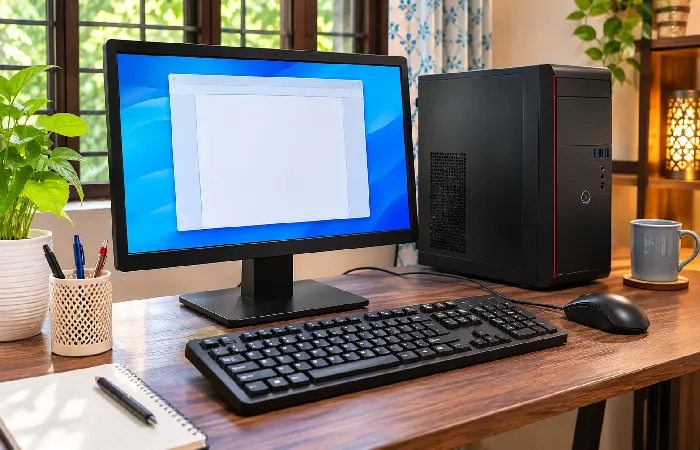
Computer tasks get done when hardware and software work together. Take opening and editing a document. The operating system and the application work with the computer’s components to load, process, display, and store information.
A simplified sequence looks like this:
- You open a word processor and select a document.
- The operating system manages the resources needed to load the application and document data into RAM.
- As you type and edit, the processor carries out instructions.
- The monitor displays the document and your changes.
- Save, and the updated document is written to storage.
HP describes this kind of workflow in its component guide, covering the operating system and file loading from storage into RAM. Processing by the CPU and display output are in there too. On IBM’s side, the explanation is of how a word-processing application instructs the CPU to display text and save documents.
A computer is more than a collection of parts. Hardware supplies the physical components. Software organizes and directs tasks. Trying to identify a particular item? Ask whether it’s a physical component, a system program, or an application.
Want a broader overview? Our guide to hardware and software is the next stop.