Last Updated: November 10, 2026
A computer problem can leave you wondering which part is responsible. Maybe a physical component. Or the program you’re using. Or the way the two interact. Knowing the difference between hardware and software? It helps. You can identify each part. Describing the problem clearly gets easier.
Quick answer: Hardware is the physical equipment in a computer. A keyboard, a processor, a storage drive. Software is the programs and instructions that run on that equipment. An operating system, a word processor. Hardware handles physical input, processing, storage, and output. Software, meanwhile, directs the computer’s tasks.
Table of Contents
What is hardware?
Hardware is the physical equipment in a computer system. Things you can see and handle. A keyboard, mouse, monitor, processor, memory, or storage drive.
Different job for each part. Keyboard and mouse? Input. A processor carries out computer operations, while memory holds information the computer is using. Monitors display output. And a storage drive keeps files and applications. Different roles, all physical components.
Inside the computer, you’ll find hardware like the processor, memory, and storage. Other hardware connects from the outside. Keyboard, mouse, monitor, printer. Location and function are what differ. It’s hardware either way.
What is software?
Software means the programs and instructions a computer can run, and it isn’t a physical component, unlike a keyboard or monitor. An operating system counts. So do applications such as word-processing software.
Programs do different jobs. An operating system is system software. It manages computer resources and supports applications. Application software? Writing a document is a task it helps you complete. Both count as software. The operating system manages the computer. Handling the task you choose, whatever it is, falls to an application.
Difference between hardware and software
Main difference? Hardware is the computer’s physical equipment. Software is the programs and instructions that run on it. Same system, different parts. Hardware provides the components, and directing computer tasks falls to software.
| Comparison | Hardware | Software |
|---|---|---|
| What it means | Physical computer equipment, such as a keyboard or processor. | Programs and instructions, such as an operating system or application. |
| Examples | Keyboard, monitor, processor, memory, and storage drive. | Operating systems and applications, including word-processing software. |
| Role | Receives input, processes or stores information, and produces output. | Provides instructions that guide the computer’s tasks. |
Hardware and software examples in a computer
A keyboard is hardware because it is a physical device. A word processor, though? Software. It’s a program used to work with documents. Then the monitor, which is hardware. The program displaying a document on it is software.
A storage drive is hardware. It provides long-term storage for files and applications. Programs saved on it are software. Drive and programs? Not the same thing.
The distinction can help when describing a computer. Say “the storage drive,” and you’ve named a physical component. “The word processor” names a program. Some tasks involve both. Name each one, rather than treating them as one part.
How hardware and software work together
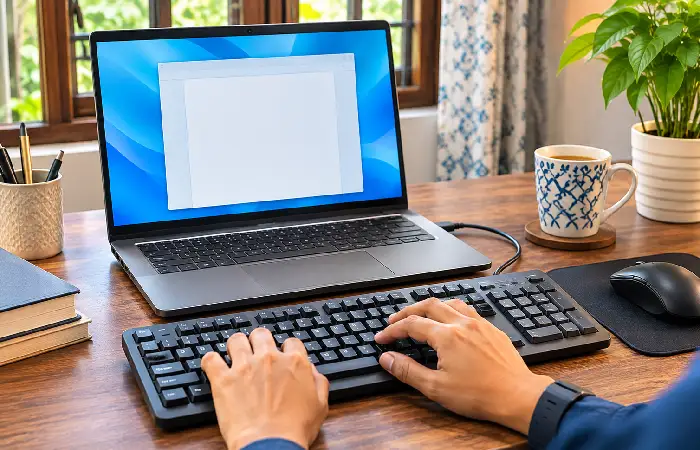
Hardware and software work together when you complete a computer task. Typing in a word processor is a good example. The keyboard sends input, and the program handles the document task. Instructions get carried out by the processor. Result on the monitor. A storage drive can hold the saved document.
The same task depends on several parts:
- The keyboard provides physical input.
- Processing the task according to its instructions is the program’s job.
- Operations are carried out by the processor.
- Output appears on the monitor.
- Saved file? The storage drive can retain it.
These steps describe how the two categories relate. Hardware provides physical components, and directing computer tasks falls to software.
Can hardware work without software?